

Appearance
Redeeming Rewards at the Till
One page for bar and door staff. Print it and keep it by the till. The full guide for managers is Rewards & Offers. If a till or POS system is being connected to Rewards, whoever is doing it should read Rewards till API and terminal keys.
Before service
- On the staff phone or tablet, log in to my.captifi.io
- Open Rewards → Redeem
- Check You are at shows your bar's venue. The phone remembers it, so you only set it once
If your login is Redeem only (the owner chooses this when inviting bar and door staff), the dashboard opens straight on this screen and shows nothing else.
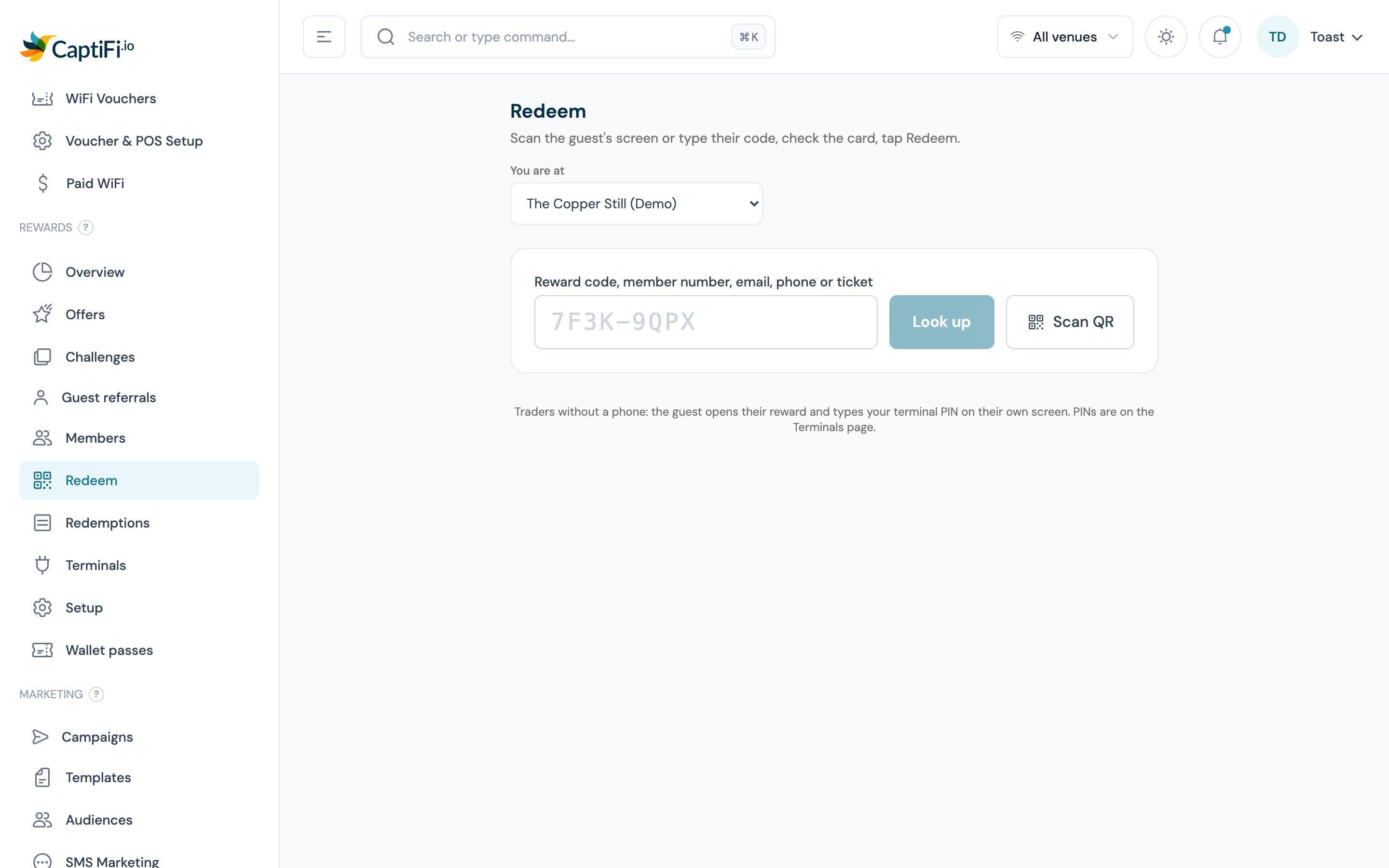
Redeem a reward
- Ask the guest to open their reward. It arrived by email or text, and the page shows a QR code and a short code such as
7F3K-9QPX - Tap Scan QR and point the camera at the QR code on their screen. No Scan QR button? Type the code in the box and tap Look up. The dash does not matter, and capitals do not matter
- Read the card: the offer, its value, the venue and the expiry date. If the offer has a minimum spend, type the bill total
- If your venue matches discounts against the till, type the till's check or order number in Till check number (optional), up to 64 characters
- Tap Redeem
- The screen turns green and says Redeemed, with the value to take off the bill and a reference such as
RDM-7F3K9Q, plus Till check and the number when you typed one. Apply the discount at the till - Tap Redeem another
The till check number is how a manager matches the discount on the till to the CaptiFi redemption later: it shows under the reference on Rewards → Redemptions and in the list's CSV download. A till connected through the till API sends its own order reference, which shows in the same place.
You can also type the guest's member number, email address or phone number. The card then lists every reward they have available; tap Redeem on the one they want.
What the screens mean
Already redeemed. The code has been used before. The card shows when, at which venue, how, who (a By row with the initials typed at the till or the signed-in staff member's initials, shown when they were recorded) and the reference. Do not give the discount again. A screenshot of a used reward looks identical to a live one, which is why you always scan or type it.
Cannot redeem, with a reason:
| Reason | What to do |
|---|---|
| This reward has expired | Nothing to give. The guest can ask a manager about a new one |
| This reward is not valid at this venue | Check You are at is right. If it is, the offer is for another venue |
| This alcohol prize was won with an age below the drinking age at this venue | A guest game prize won by confirming a lower age than the drinking age here (for example 18 at a venue where it is 21). It can be used at a venue where that age is allowed |
| The basket is below the minimum spend | Check the bill total you typed against the minimum shown on the card |
| This reward is locked after too many wrong PIN attempts | Someone typed the PIN wrong five times. Scan or type the code yourself; that still works |
| This reward was cancelled | A manager cancelled it. Nothing to give |
| No reward, member or offer matches that code | Retype it. Codes never contain the letters I, L, O or U. If a guest reads out an I or an L, type 1; for an O, type 0 |
The guest only has a PIN
A trader with no phone has a six-digit PIN instead. The guest opens their reward, taps Staff: redeem with PIN, and the trader types the PIN on the guest's phone. The page turns to Redeemed with a reference. If you have the staff phone, scan the code as usual instead; both routes mark the reward as used.
Made a mistake?
On the green screen, tap Made a mistake? Void this redemption, type why (for example "Scanned the wrong guest") and hold the button. This needs a manager's permission. A manager can also void later from Rewards → Redemptions.
Guest's phone is dead
A manager can look the guest up by email, phone or member number, tick Manager manual, give a reason and redeem without a scan.
Points for a sale
If the guest is a member and has no reward to use, look them up, type the bill total and the receipt number under Award points for this sale, and tap Award points. The receipt number stops the same sale being keyed twice.