

Appearance
Presence campaigns
CaptiFi checks who is on your guest WiFi every five minutes. That's the reading behind Online and Away on Connected Guests. Presence campaigns let a workflow use the same reading, so you can message a guest while they are still with you: a top-up offer when they've been in for 45 minutes, say, or a second message only if they haven't left yet.
There are two steps, a trigger and a condition, and a ready-made template for each idea. They sit with the other steps in the workflow builder on Pro plans and above, the plans that include Workflows.
Guest is still here
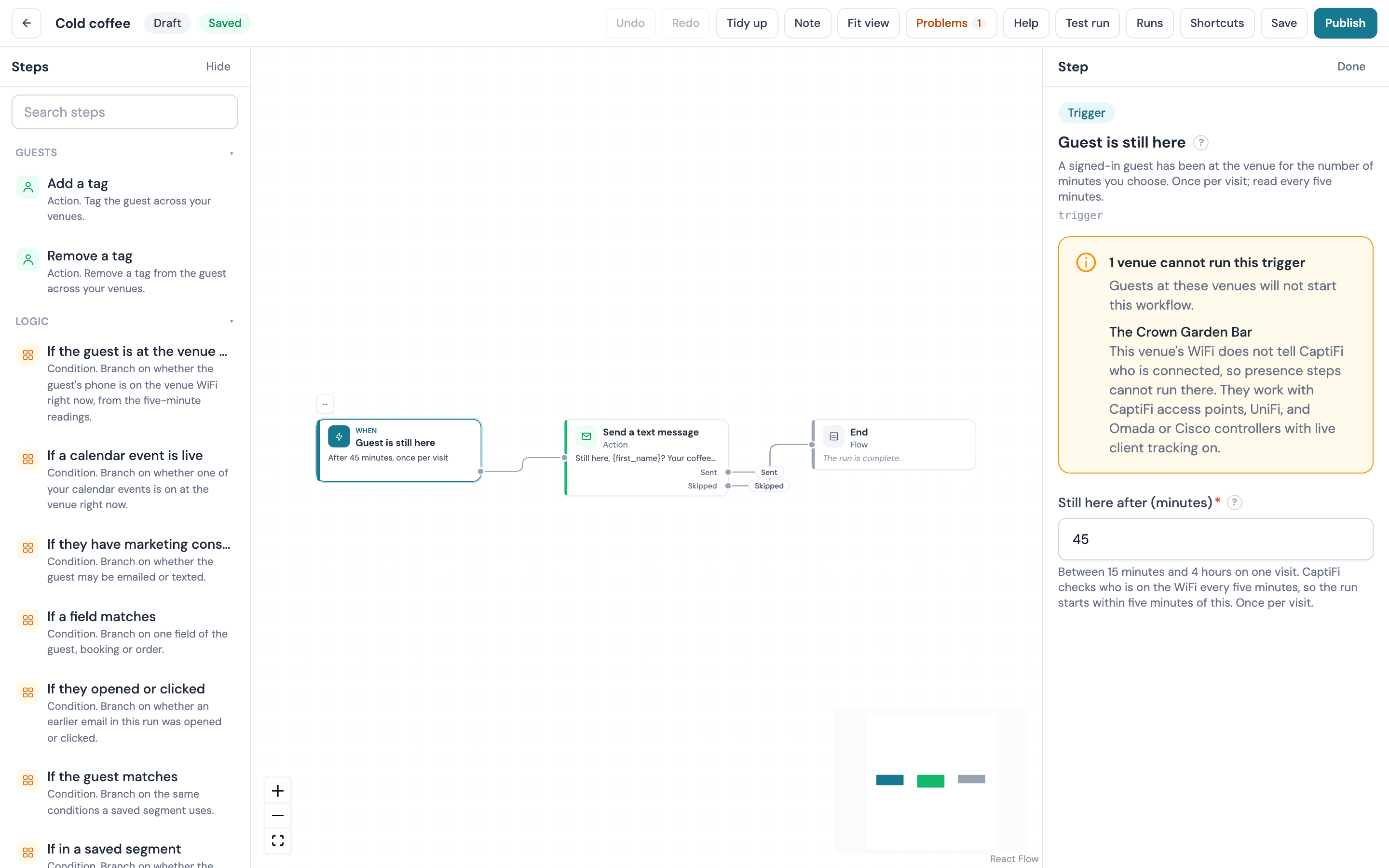
Guest is still here is a trigger. It starts the workflow once per visit when a signed-in guest has been at the venue for the number of minutes you choose.
| Setting | What it does |
|---|---|
| Still here after (minutes) | Between 15 minutes and 4 hours. The clock starts when the guest's phone was first seen on the WiFi on this visit |
How it counts a visit:
- A visit is an unbroken run of readings. A phone that hasn't been seen for 15 minutes has left, so if the guest comes back later that's a new visit.
- A guest signed in on two devices, or seen on two of your access points, is still one visit, timed from whichever was seen first.
- Readings are five minutes apart, so the run starts within about five minutes of the time you set.
- A guest who has already been in for more than half an hour past your time when you publish the workflow isn't picked up. Everyone who arrives after that is.
- Like other guest workflows it runs at most once a day for each guest unless you raise Runs per guest per day in the workflow's settings.
It only counts guests who signed in through your splash page; a phone that joined the WiFi without signing in is never one of them. On UniFi, Omada and Cisco a guest is counted once they have signed in within the last day.
If the guest is at the venue now
If the guest is at the venue now is a condition with two outputs, Yes and No. It checks whether one of the guest's devices is on the venue's WiFi right now, from the same five-minute readings. It has no settings.
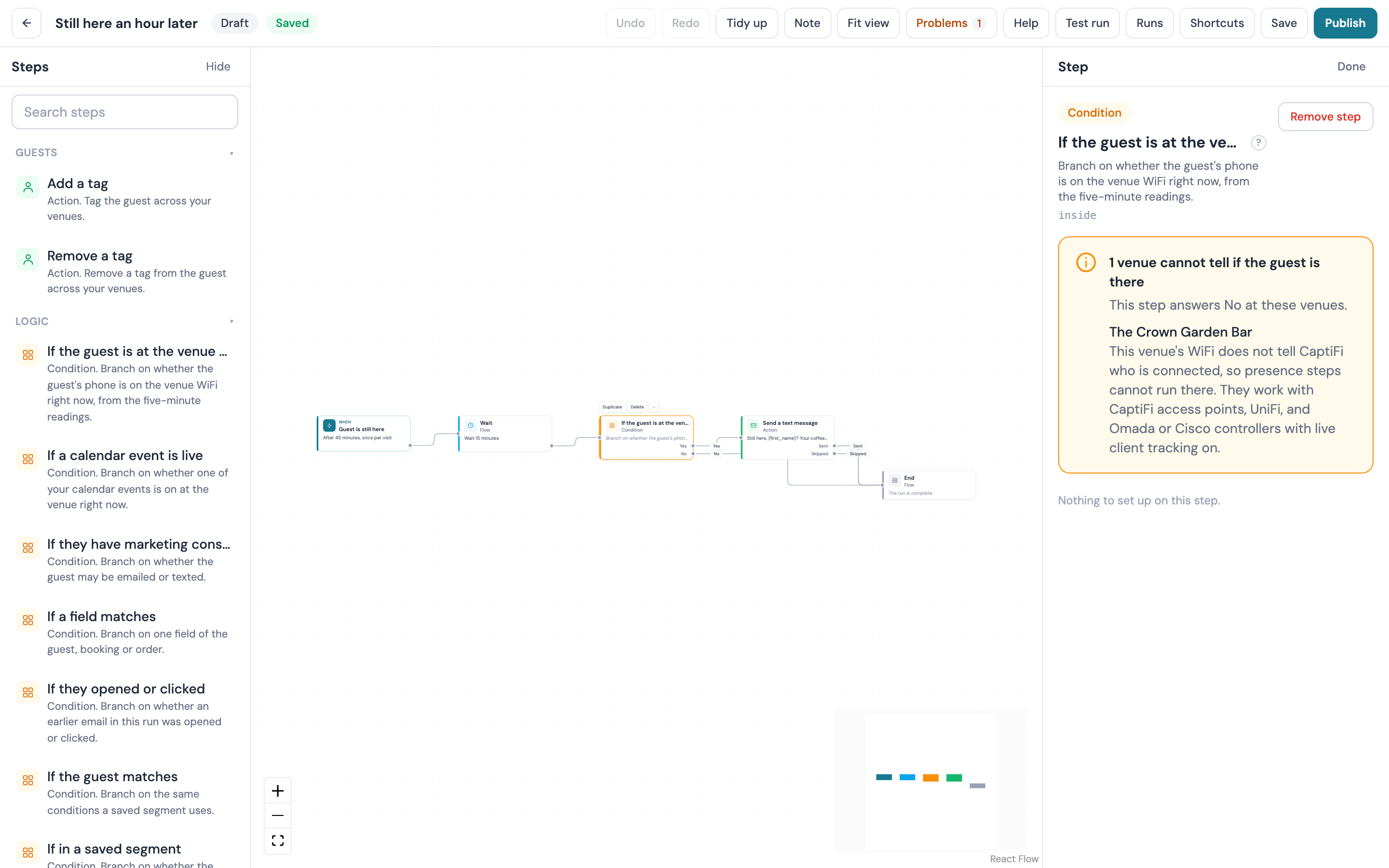
Put it after a Wait to ask whether the guest is still there later on, an hour after they arrived for example. The answer is Yes when any reading in the last 15 minutes found one of the guest's devices on the venue's WiFi. Otherwise it's No, and that includes a venue whose WiFi hasn't been read in that time (an access point that's down, say), so a message on the No output never waits on missing data. The run's timeline shows which of the two it was.
Which venues can run them
Both steps need WiFi that tells CaptiFi who is connected:
| Your WiFi | Guest is still here and If the guest is at the venue now |
|---|---|
| CaptiFi access points | Yes |
| UniFi | Yes, with live client tracking on for the venue |
| Omada | Yes, once the controller is connected with its Open API app and live client tracking is on for the venue |
| Cisco 9800 | Yes, once the controller is connected for client tracking and live client tracking is on for the venue |
| Other controllers | Not yet |
When one of the workflow's venues can't run the trigger, the inspector lists it by name under the trigger with the reason, and guests at that venue won't start the workflow. The other venues carry on as normal. The condition shows the same list, because at those venues it always answers No.
Phones that change their private WiFi address from time to time are not recognised after a change until the guest signs in again.
Ready-made templates
Two templates in the recipe gallery use presence. Open Marketing then Workflows, click New workflow and choose Start from a recipe.
| Recipe | What it does | You fill in |
|---|---|---|
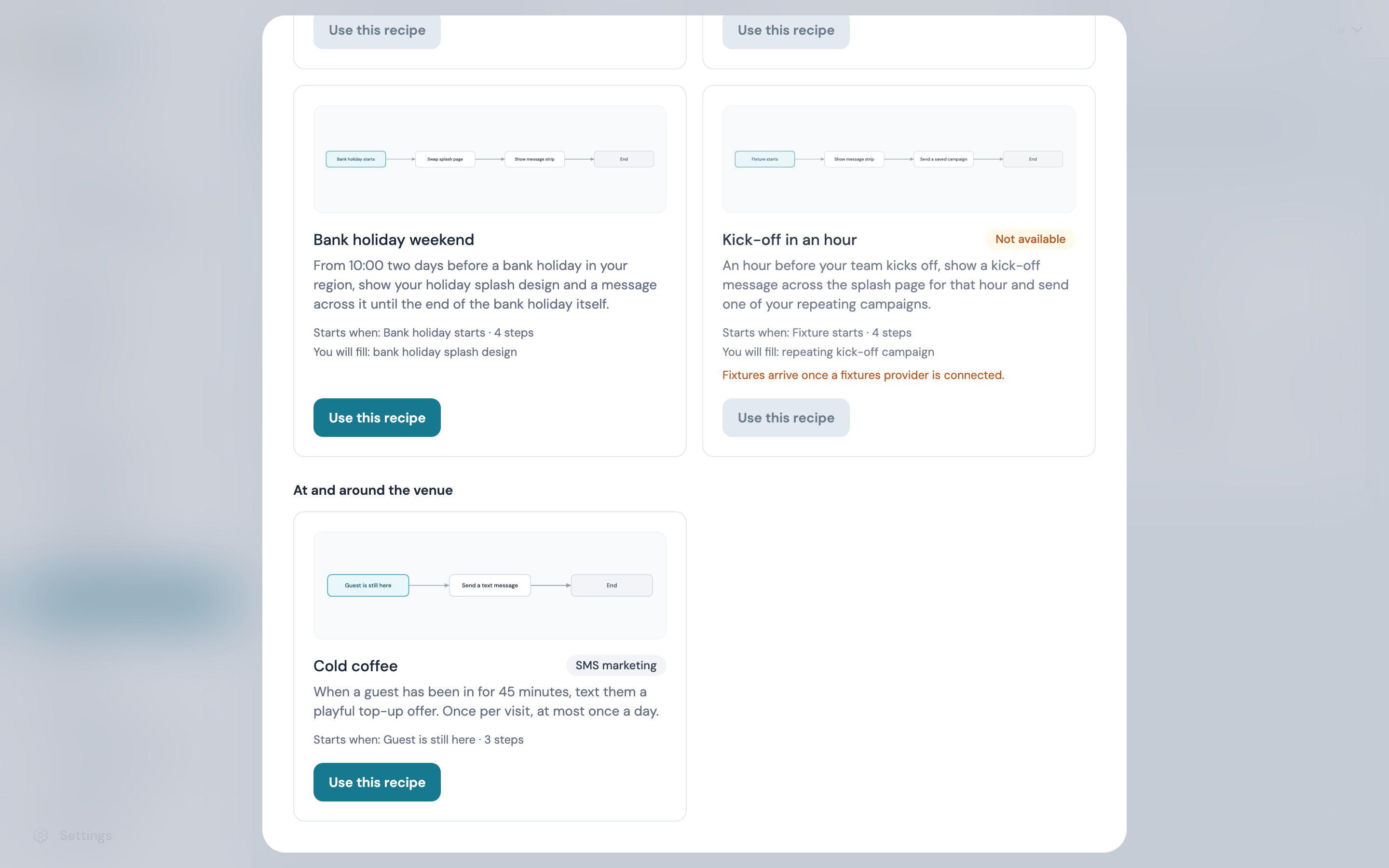
| Cold coffee | When a guest has been in for 45 minutes, texts them a playful top-up offer. Once per visit, at most once a day | Nothing; change the text on its step to your own offer |
| Kick-off in an hour | An hour before your team kicks off, shows a kick-off message across the splash page for that hour and sends one of your repeating campaigns | Your team, and the repeating campaign |
Cold coffee is under At and around the venue and needs SMS marketing on your account. The text is written for you and reads "Still here, {first_name}? Your coffee might be getting cold. Show this text at the counter for a top-up offer." Change it on the Send a text message step to say what your offer is. Texts follow the usual rules: only guests who agreed to texts get one, a text due in the venue's quiet hours waits for them to end, and each text comes out of your monthly texts (see Texts).
Kick-off in an hour is in Fixtures, weather and holidays with the other fixture recipes, and like them it shows Not available until fixtures are switched on for CaptiFi. It runs once per venue a day.