
Appearance
CaptiFi API
Pull your guest data straight into your own systems: a booking platform, a CRM, a spreadsheet, or whatever you already use for reporting.
Plan
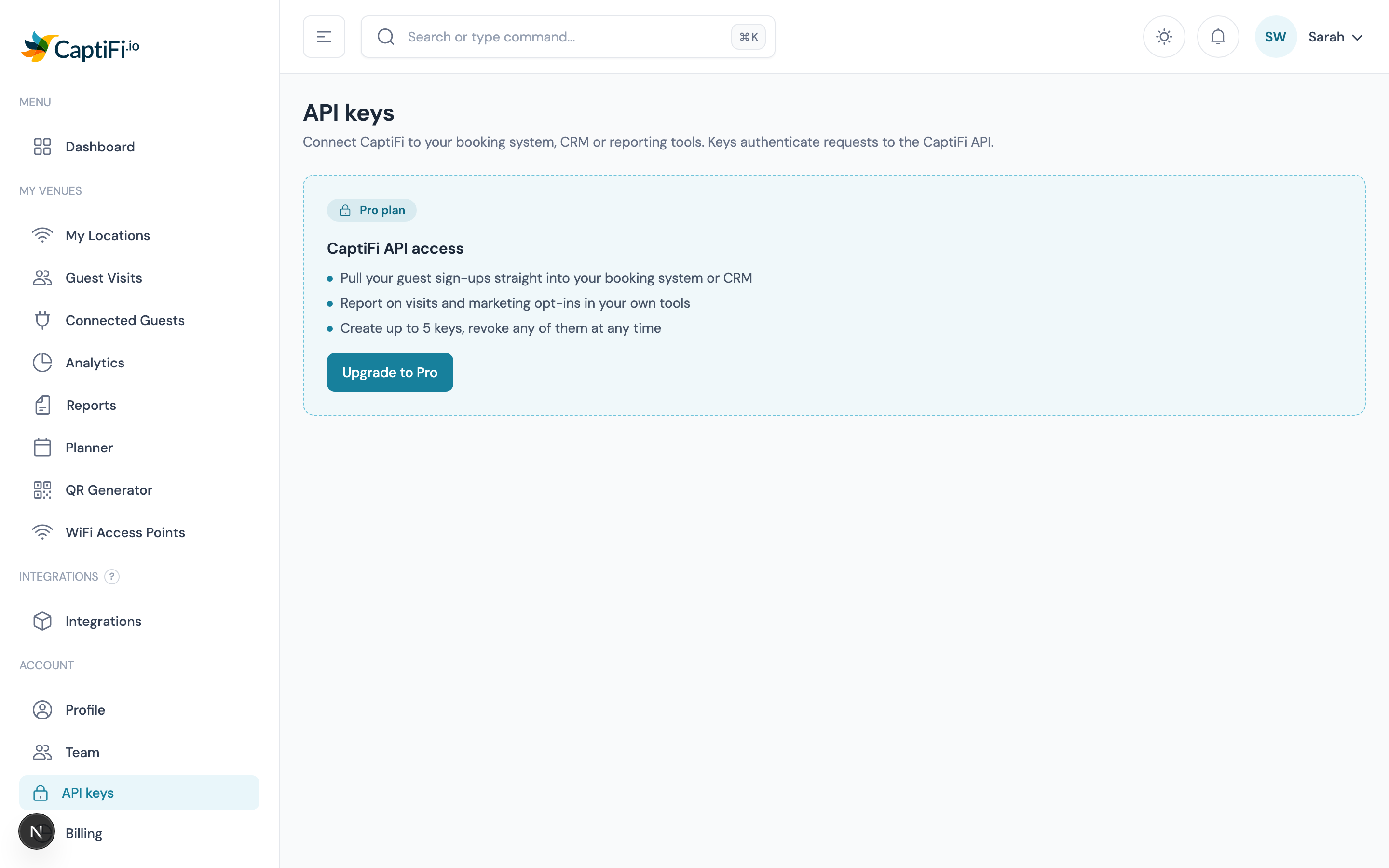
The API is included on the Growth plan and above. On Essentials the API keys page shows what it does and how to upgrade.
What you can do with it
| You want to | Endpoint |
|---|---|
| List your venues | GET /venues |
| Pull guest sign-ups, filtered and paginated | GET /guests |
| Get visit and opt-in totals for a period | GET /stats |
| Check which account a key belongs to | GET /me |
The API is read-only. Nothing you do with a key can change your CaptiFi settings, your splash pages or your guest records, so it is safe to hand a key to a developer or an agency.
Step 1: create a key
Go to API Keys in the sidebar and give your key a name. Name it after the system that will use it, so you can tell your keys apart later.
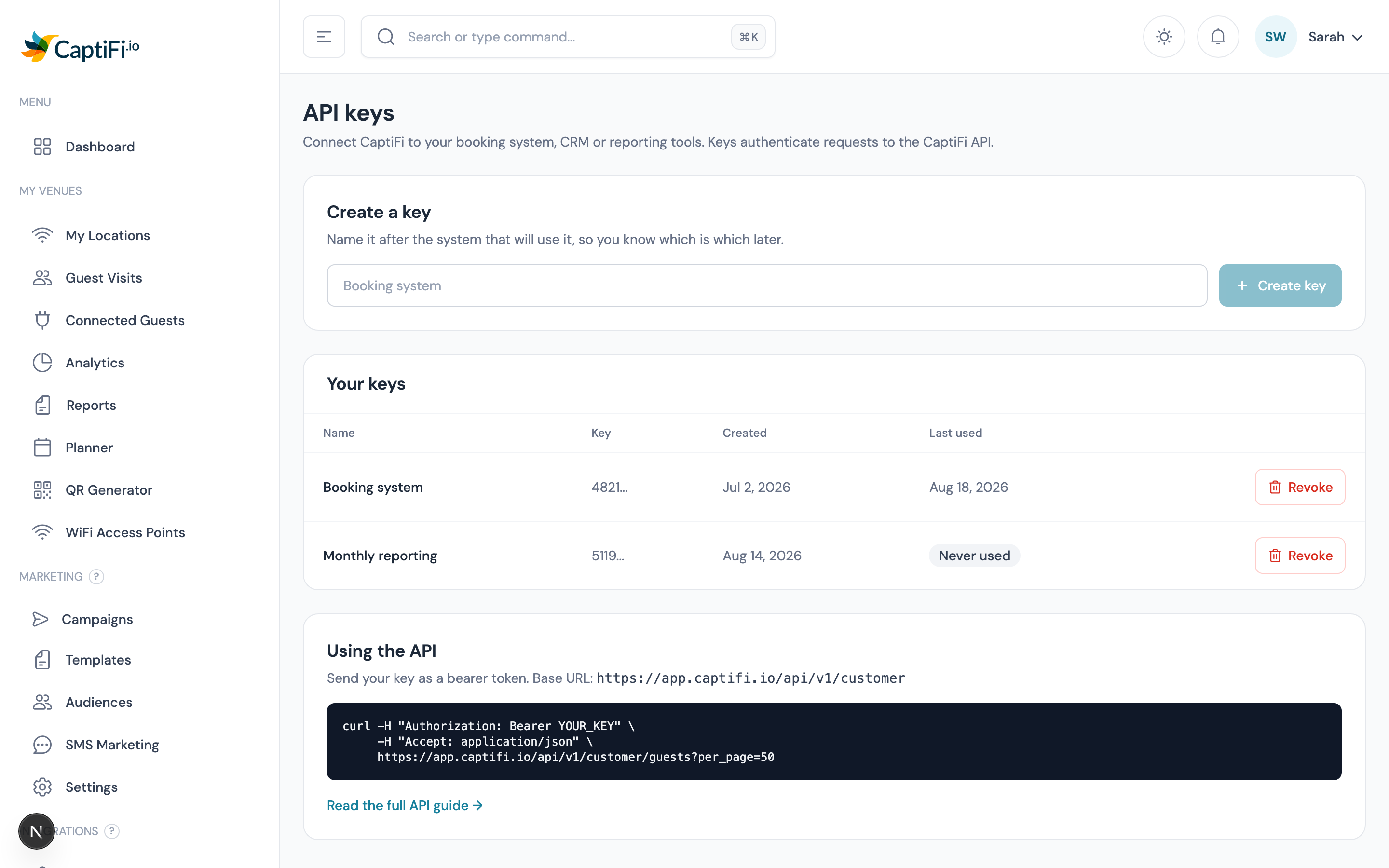
On Essentials the page explains what the API does and how to get it:
Your key appears once, immediately after you create it.
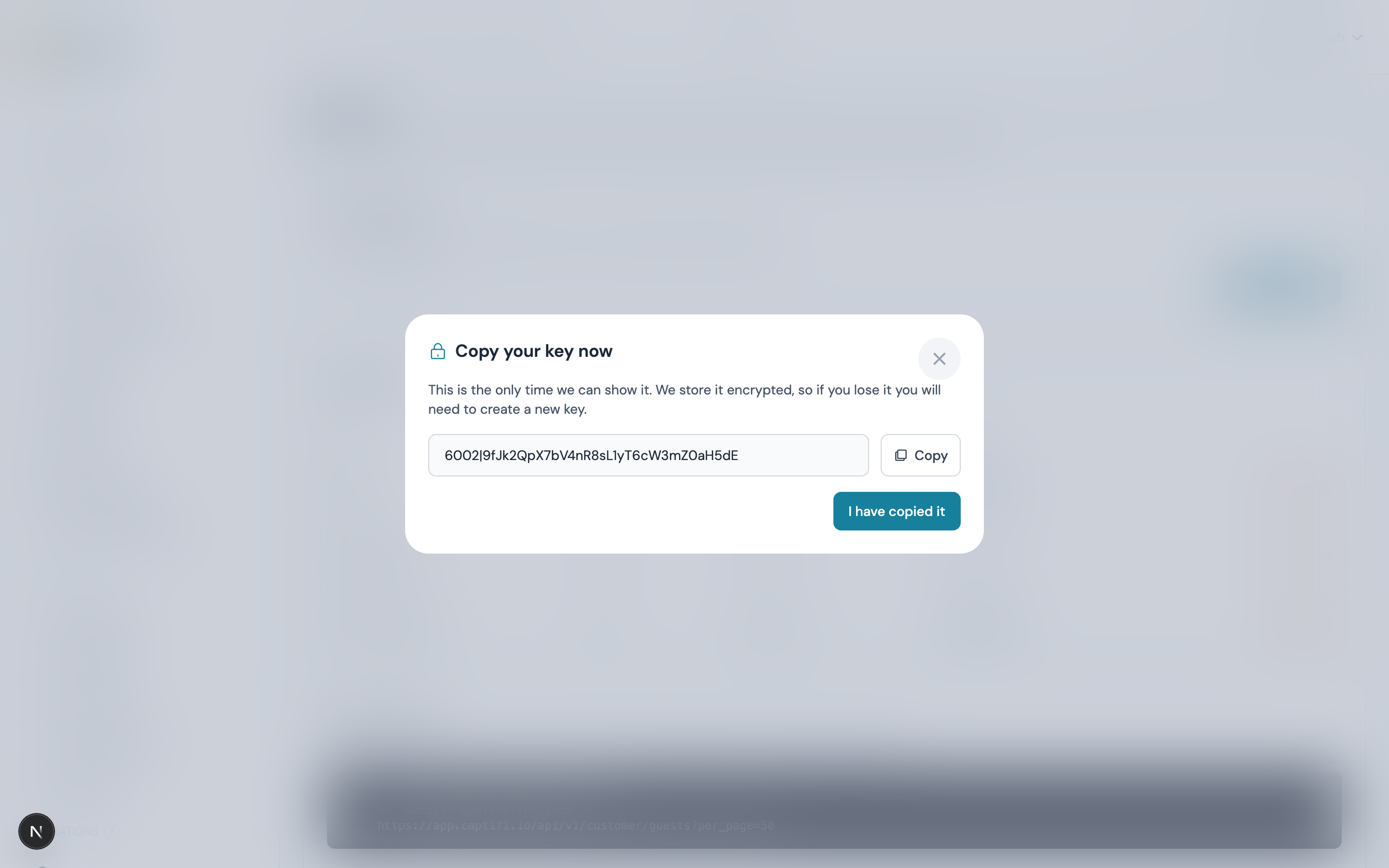
Copy it straight away
We store your key encrypted, exactly like a password, so we cannot show it to you again. If you lose it, revoke it and create a new one.
You can hold up to 5 keys at once. Use separate keys for separate systems: if one needs replacing you can revoke it without breaking the others.
Step 2: make a request
Send your key as a bearer token in the Authorization header. The base URL is:
https://app.captifi.io/api/v1/customerbash
curl -H "Authorization: Bearer YOUR_KEY" \
     -H "Accept: application/json" \
     "https://app.captifi.io/api/v1/customer/guests?per_page=50"
Every response is JSON in the same shape: your rows under data, and paging or totals under meta.
json
{
  "data": [
    {
      "id": 84213,
      "venue_id": 17110,
      "name": "Sam Fletcher",
      "first_name": "Sam",
      "last_name": "Fletcher",
      "email": "sam@example.com",
      "phone": "+447700900123",
      "marketing_consent": true,
      "is_return_visit": false,
      "visited_at": "2026-08-18T19:14:00+01:00"
    }
  ],
  "meta": { "current_page": 1, "last_page": 3, "per_page": 50, "total": 132 }
}
Endpoint reference
GET /me
Confirms which account a key belongs to. Useful as a connection test.
json
{ "data": { "account_id": 41404, "business_name": "Ecton House", "plan": "Pro", "venue_count": 7 } }GET /venues
Your venues, alphabetically.
| Field | Notes |
|---|---|
id | Use this as venue_id on the other endpoints |
name, city, country | As set on My Venues |
created_at | ISO 8601 |
GET /guests
Guest sign-ups, newest first. Only guests who actually arrived are returned, so contacts you imported yourself never appear here as footfall.
| Parameter | Values | Notes |
|---|---|---|
venue_id | a venue id | Defaults to every venue on your account |
from, to | YYYY-MM-DD | Inclusive |
marketing_consent | 1 or 0 | Filter to guests who opted in (or did not) |
per_page | 1-200 | Defaults to 50 |
page | 1+ | Read meta.last_page to know when to stop |
GET /stats
Totals for a period, matching the figures on your dashboard.
| Parameter | Values |
|---|---|
venue_id | a venue id (defaults to all) |
from, to | YYYY-MM-DD (defaults to the last 30 days) |
visits counts every arrival. unique_guests counts distinct email addresses, so a guest who connected three times in the period counts once. marketing_opt_ins counts arrivals from guests who agreed to marketing.
json
{
  "data": { "from": "2026-07-20", "to": "2026-08-18", "visits": 412, "unique_guests": 388, "marketing_opt_ins": 305 },
  "meta": { "venue_ids": [17110] }
}
Rate limits
120 requests per minute, per key. Every response tells you where you stand:
| Header | Meaning |
|---|---|
X-RateLimit-Limit | your ceiling, 120 |
X-RateLimit-Remaining | calls left in the current minute |
Retry-After | on a 429, the seconds to wait before retrying |
If you go over, the API answers 429. Wait for the number of seconds in Retry-After before retrying, rather than retrying straight away: the window is a rolling minute, so a 429 can mean waiting up to 60 seconds.
The quota is counted per key, not per IP address, so one system going over never uses up another system's allowance. Pulling a large history is best done with per_page=200 and paging through, rather than many small requests.
Revoking a key
Click Revoke next to any key. It stops working immediately, and anything using it will start getting 401. This cannot be undone, so if you are replacing a key in a live system, create the new one first.
Common responses
| Status | Meaning | What to do |
|---|---|---|
200 | Success | - |
401 | The key is missing, wrong or revoked | Check the Authorization header |
403 | Your plan does not include the API, or the credential is not an API key | Upgrade to Growth, or create a proper API key |
404 | The venue_id is not on your account | Check GET /venues |
422 | A parameter is invalid | The response names the parameter |
429 | Rate limited | Wait, then retry |
Security
- Treat a key like a password: never put it in front-end code, a public repo, or a shared document.
- Keys are scoped to your account. A key can only ever read your own venues and your own guests.
- A key cannot be used to sign in to the dashboard, and it cannot change anything.
- If a key may have leaked, revoke it. That is instant and cannot be undone.
Your responsibilities under GDPR
Guest records include personal data. Once you pull them into your own system you are the controller of that copy: your own retention rules, security and deletion requests apply to it. Deleting a guest in CaptiFi does not delete the copy you exported. See GDPR & Data Protection.
See also
- Webhooks: have events pushed to you instead of polling
- Plans & Pricing: which plan includes what
- Guest Analytics: the same figures in the dashboard
- GDPR & Data Protection: your duties once data is in your systems